
Last Updated: 5 November 2026
Quick Summary
Telematics integration connects your vehicle tracking data, such as GPS positions, fault codes and driver behaviour, to the fleet management and maintenance software you already use. Start by mapping which data each system needs, then choose an API, middleware or scheduled file transfer, and test the feed before relying on it.
- Map each telematics data type to the system that needs it before connecting anything.
- Choose between API-to-API, middleware or scheduled file transfer based on your existing systems.
- Define one master identifier for vehicles, devices and drivers to avoid mismatched records.
- Check units, time zones and update frequency, as mismatches commonly cause incorrect reports.
- Test the feed against a busy day as well as a quiet one before switching on the full fleet.
Table of Contents
- What Telematics Integration Involves and Why It Matters
- Mapping Your Telematics Data Before You Connect Anything
- Choosing a Fleet Management System That Accepts Telematics Feeds
- Step-by-Step: Connecting Telematics Devices to Your Fleet Platform
- Linking Diagnostics and Fault Alerts to Fleet Maintenance Management Software
- Adapting Telematics Integration for Electric Vehicle Fleet Management
- Booking Your Integration Review with OVL Group
- Frequently Asked Questions
What Telematics Integration Involves and Why It Matters
Telematics integration means connecting the data from your vehicle tracking devices to the software you already use to run your fleet.
Telematics is the collection and transmission of vehicle data, usually from a device fitted to or plugged into the vehicle.
The reasons to integrate tend to fall into three groups:
- Less admin: Data flows between systems, so staff stop re-keying the same figures.
- Faster decisions: Managers see location, utilisation and fault data in one place.
- Better compliance: Records for servicing, driver hours and defects sit together and are easier to audit.
Integration is not a single product purchase. It depends on what your telematics provider can export, what your fleet platform can import, and how the two are connected in between.
Mapping Your Telematics Data Before You Connect Anything
Before you connect anything, list the data your telematics system produces and decide which of it your business needs. Most units record far more than most fleets use, and sending everything to every system adds noise, cost and unnecessary privacy exposure.
Start with a simple map. For each data type, note what it is, who needs it and which system should hold it:
| Data type | Typical use | Where it should go |
|---|---|---|
| GPS location and trips | Scheduling, route checks | Fleet platform, dispatch |
| Fault codes and engine data | Repairs, diagnostics | Maintenance software |
| Driver behaviour events | Safety coaching | Driver records, reporting |
| Mileage and fuel data | Costs, mileage claims | Finance or fleet platform |
| Service and defect reports | Compliance | Maintenance software |
| EV state of charge and charging sessions | Range planning, energy cost | Fleet platform, scheduling |
Understand the integration architecture before you map fields
Integration happens in one of three broad ways, and the choice shapes everything that follows:
- API-to-API: Your telematics provider exposes a REST or similar API and your fleet platform calls it directly. This gives near-real-time updates and selective field access, but it depends on both sides supporting the same authentication method and rate limits.
- Middleware or connector: A third-party integration layer sits between the two systems, translating formats and buffering failures. This is common where one side is a legacy platform with no modern API.
- Scheduled file transfer: Data is exported as CSV or similar on a schedule and imported in batches. It is simple and robust but unsuitable for real-time alerts.
A common pattern is a hybrid: real-time API for fault alerts and location, with a nightly file transfer for mileage and cost data that finance reconciles monthly.
Match identities, not just fields
The single biggest cause of bad reports is identity mismatch. A telematics device has a device ID, the vehicle has a registration and possibly a fleet number, and the driver has an employee ID. Your integration must define which identifier is the master and how the others map to it. Decide early whether a vehicle can have more than one active device, such as a temporary unit during a swap, and record the rule in your mapping document so it survives staff changes.
Check formats, units and update frequency
Check field names, units (miles or kilometres, litres or gallons, kWh for electric vehicles), time zones and update frequency, mismatches here commonly cause wrong reports later. Confirm whether timestamps are UTC or local, because a one-hour shift silently corrupts driver-hours reporting, and check how the source handles null values and whether it sends cumulative or delta mileage.
Plan for legacy systems
If one of your systems predates modern APIs, you have three realistic options: use a middleware connector, run a scheduled export and import, or replace the legacy system. Replacing is often the cleanest long-term answer but the slowest to deliver. Middleware is usually the pragmatic middle path, provided you accept a small lag and a support dependency on the middleware vendor.
Decide data ownership and retention
One person should own the mapping, so changes are recorded and nobody has to guess which field feeds which report. Agree a retention rule for each data type too: driver behaviour and location data are personal data under UK GDPR, so keep only what you need, restrict access and set a deletion period.
Choosing a Fleet Management System That Accepts Telematics Feeds
Not every fleet management system accepts data from every telematics device. Before you buy or upgrade, check four things:
- Supported providers: Confirm the platform has a tested connection with your telematics supplier.
- Import method: Find out whether it uses an API, scheduled file transfers or a manual upload.
- Data fields: Check it can receive the fields you mapped earlier, such as fault codes and driver events.
Also ask how the system handles errors. A good platform flags failed transfers and shows which records did not import, rather than failing silently.
Compare the options on the same criteria, and ask each vendor for a test feed using your own data where possible. If you want a broader view of platforms, our guide to best fleet management software compares leading options by function. If you are reviewing your vehicle line-up at the same time, our vehicle leasing special offers can help you plan new vehicles around the systems you choose.
Step-by-Step: Connecting Telematics Devices to Your Fleet Platform
This process works for most setups. Adjust the detail to match your providers.
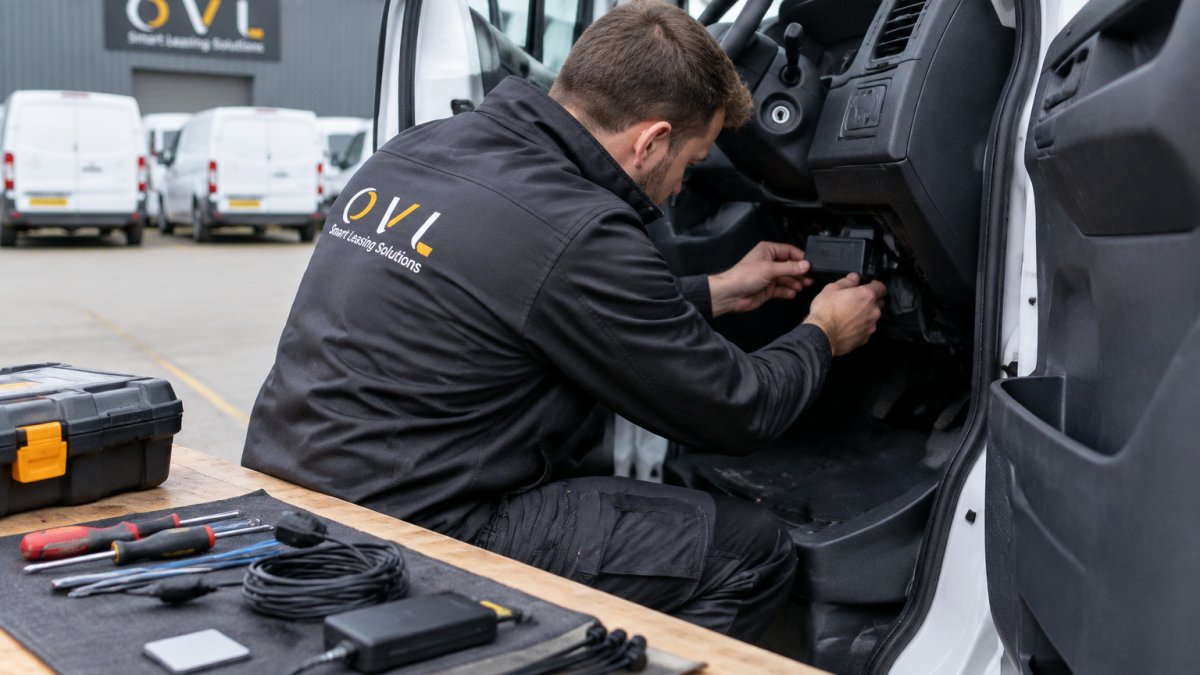
- Confirm the connection method. Check your telematics and fleet platform documentation for the supported route, API key, data export or connector, and confirm the API version and whether it is being deprecated.
- Set up access. Create a dedicated integration user with only the permissions it needs, record who holds the credentials and rotate them on a schedule. Never use a named employee's login, because the feed breaks when they leave.
- Link the accounts. Enter the connection details and authorise the feed, matching devices to vehicle records.
- Match vehicles and drivers. Check each device maps to the correct registration and driver, and test a vehicle swap and a driver change before go-live.
- Set the refresh schedule. Choose how often data moves and whether alerts should be real time; real-time fault alerts and nightly cost batches usually need different schedules.
- Run a test batch. Import a small set of vehicles first, including at least one electric vehicle if you run them, so EV fields are exercised.
- Switch on the full feed. Once the test batch is clean, connect the remaining vehicles and keep a log of the change.
Expected result: Vehicle locations, trips and fault alerts appear in your fleet platform within the refresh window you set.
Testing, validation and troubleshooting the data feed
After connecting, test the feed for a set period before relying on it. Compare a sample of records against the source system.
Watch out: a feed that looks correct in a small sample can still fail at month-end when volumes rise, so test a busy day as well as a quiet one.
Watch for these common problems:
- Missing vehicles: A device is not linked to a vehicle record. Re-check the matching step.
- Duplicate records: The same trip or fault appears twice. This usually means the import is running twice or an ID is wrong.
- Wrong units or times: Miles appear where kilometres were expected, or times show the wrong time zone.
Keep a simple log of issues and fixes. When the feed has been stable for a few weeks, you can reduce how often you check it.
Rollout, change management and driver adoption
Integration succeeds or fails on whether drivers trust it. Before you switch on driver-level reporting, explain what is collected, why, who sees it and how it will be used.
Train the people who will act on the data, not just the administrators. A fault alert is only useful if the workshop knows what to do when one arrives. Nominate an owner for each alert type and agree response times.
Measuring whether the integration is working
Set a small number of measures before go-live and review them after 30 and 90 days: the proportion of vehicles reporting, the share of fault alerts actioned within your target time, the reduction in manual re-keying, and the accuracy of mileage and cost reports against finance records.
If you want practical ways to cut workshop spend once alerts are flowing, see our guide to how to reduce fleet maintenance costs.
Linking Diagnostics and Fault Alerts to Fleet Maintenance Management Software
Fault alerts are most useful when they reach the people who can act on them. Linking diagnostics to your maintenance software lets a fault code create a job card or workshop task without anyone retyping it.
Set rules for which faults trigger a job and which only need monitoring.
If you want practical ways to cut workshop spend once alerts are flowing, see our guide to how to reduce fleet maintenance costs.
Adapting Telematics Integration for Electric Vehicle Fleet Management
Electric vehicles add data that petrol and diesel vans do not produce. Battery state of charge, charging session records, energy use per trip and range estimates all need to reach your fleet platform in a usable form.
Check that your telematics supplier and fleet platform support EV-specific fields before you commit. If you are adding electric vehicles to the fleet, our electric and hybrid leasing options and used electric vehicle leasing can help you bring them in alongside the data set-up.
Range and payload both affect how an electric van performs on a given route. Before you set schedules from telematics data, review our guide to electric van range versus payload so your route planning reflects real-world load. If you are still deciding between battery and hybrid options, our comparison of electric and hybrid fleet vehicles covers running costs and charging needs.
Booking Your Integration Review with OVL Group
Integrating telematics with fleet systems takes planning, and the right set-up depends on your vehicles, your providers and your reporting needs.
Our team can also help with vehicle leasing options, including special offers on vehicle leasing, van leasing deals, and electric and hybrid leasing, so the vehicles and the data systems can be planned together.
Get in touch to book an integration review. We will look at your current telematics set-up, identify the data that matters, and outline the next steps for a connection that works for your fleet.
Frequently Asked Questions
How do you integrate telematics with a fleet management system?
Start by confirming which data fields your telematics provider can export, such as location, speed, engine hours and fault codes. Then map those fields to the matching records in your fleet management system, set up a secure API or file-based connection, and run a test with a small group of vehicles before rolling out fleet-wide. Keep a log of every mapping decision so that future software changes do not break the feed.
What data can a fleet telematics system provide?
A typical fleet telematics system reports vehicle location, journey history, driver behaviour events such as harsh braking or speeding, fuel and idling data, and engine diagnostic fault codes. Once integrated, these feeds can populate mileage logs, maintenance schedules and driver performance reports inside your fleet management system, reducing the need for manual data entry.
Can telematics integrate with existing fleet management software?
In most cases, yes, but compatibility depends on the software's interfaces. Check whether your fleet management system offers an API, supports standard file imports, or has a certified connector for your telematics provider. Where no direct link exists, an integration platform or middleware can translate the data, though this adds cost and an extra point of failure that needs monitoring.
What should businesses check before choosing fleet telematics software?
Confirm that the software exports data in formats your fleet management system can read, that it supports the vehicle types you run including electric vans, and that its data retention and access controls meet UK GDPR requirements. Ask for a trial period, check what support is included, and find out how much additional integration work your IT team will need to carry out.